Click on the above link to download the software. It
should take approximately 30 seconds to download.
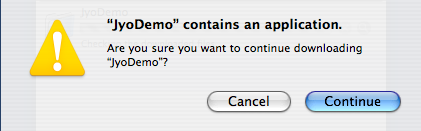
Safari will popup a window which looks like this:
Click on the "Continue" button.
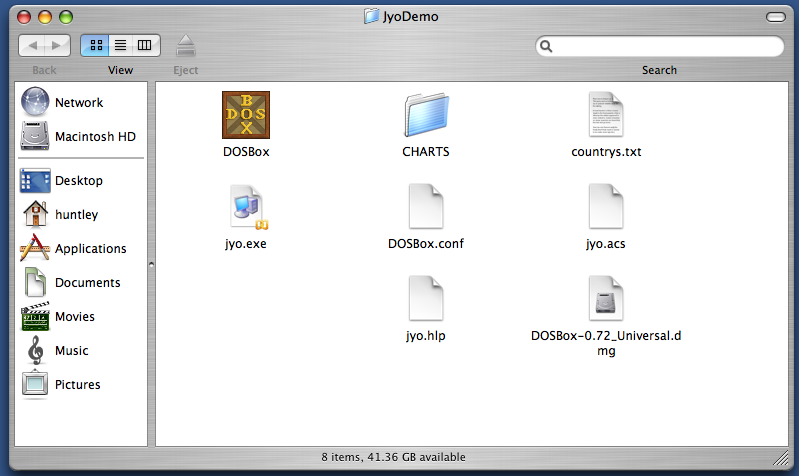
Then on your desktop, you will see a new folder icon named "JyoDemo". Double click it to open it. It will look like this:
Then double click on the "DOSBox" icon to run the program.
(DOSBox is a nifty program which makes it possible to run MS-DOS programs on any Mac with OS X.)
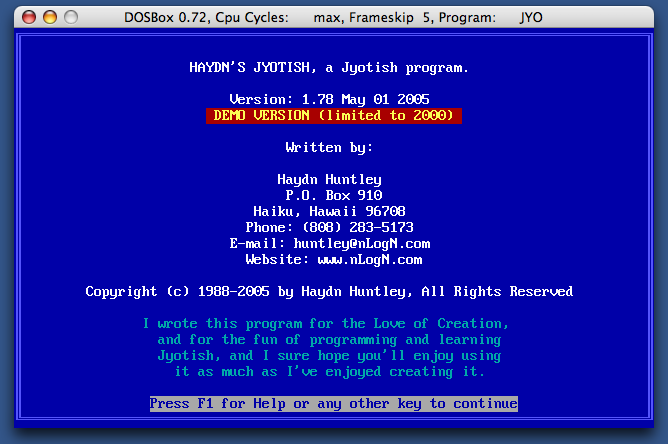
Here is what the program looks like:
Here are a few useful tricks:
This program was originally written for MS-DOS, so it doesn't use
the mouse. Instead you use the arrow keys to move the
highlight, or you can use the first letter of a command, like "L"
for "LOAD".
When creating a new chart, you may need to press Command-F10
to calculate and display the chart.
You can toggle the program between running in a small window
and using the full screen by pressing Option-Enter.
For questions, comments or to order contact:
Haydn Huntley
P.O. Box 910
Haiku, HI 96708, USA
Skype:
haydnhuntley
Phone:
(808) 575-2571
Current Time:
Friday, July 4, 9:21 am
Please do not call before 8am or after 10pm.